
Creating Your Wbotz Account
Getting started with Wbotz is quick and easy. You can create your account in just a few minutes and start using WhatsApp automation for your business.
Currently, Wbotz allows you to sign up using the following method:
Google Signup
Manual Sign-up with Work Email
Tip
We recommend using your business email address when creating your Wbotz account. This makes it easier to manage your workspace and collaborate with your team.
Google Sign-up
To create your Wbotz account through Google:
Visit the WBotz sign-up page.
Read the Terms & Conditions.
Click Signup With Google
Choose an Account

Wbotz Manual Sign-Up Process
Visit the Wbotz Sign-Up page.
Enter the following details:
First Name
Last Name
Email Address
Create a strong password.
Read and agree to the Terms & Conditions.
Click Continue button.
Verify your phone number by entering the OTP.
Click Create Account.
Confirm your email address.


Verify Your Email
After submitting your registration details:
Check your business email inbox.
Open the verification email sent by Wbotz.
Click the Verify Email button or enter the verification code if prompted.
Once your email is verified, your account will be activated.

Log In to Your Wbotz Account
After verification:
Go to the Wbotz Login page.
Enter your registered email address.
Enter your password.
Click Login.
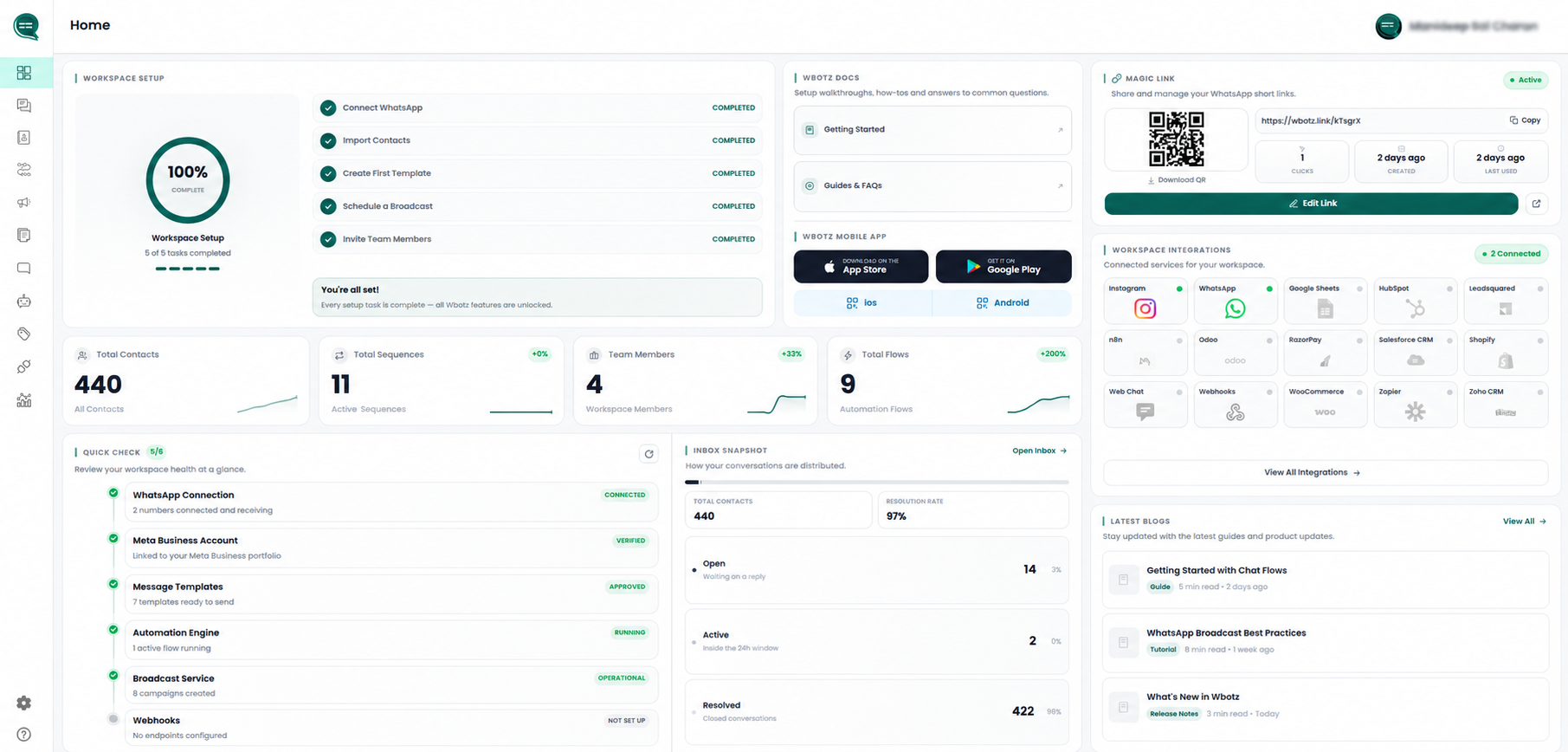
You will be redirected to your Wbotz dashboard.
Complete Your Business Profile
After logging in for the first time, you'll be asked to provide your business information.
Fill in details such as:
Business Name
Website (Optional)
Mobile Number
Country
Industry
Currency
Time Zone
Number of Employees
Daily Leads/Orders
Click Save Changes to proceed.

Choose Your Industry
To personalize your Wbotz experience, select:
Industry
This helps Wbotz recommend the most relevant automation templates and features.

Set Up Your Workspace
After completing your profile, your workspace will be created automatically.
From your dashboard, you can:
Connect your WhatsApp Business Account
Invite team members
Configure your inbox
Create chatbot flows
Set up automation
Manage contacts
Send broadcast campaigns
Next Steps
Now that your Wbotz account is ready, you can start using powerful WhatsApp Business tools, including:
Connect WhatsApp Business API
Build No-Code Chatbots
Automate Customer Support
Create Broadcast Campaigns
Manage Shared Team Inbox
Capture and Qualify Leads
Integrate with CRM and other business tools